Creating events made easy
With EVENTIM.Light, managing tickets for your event is a breeze. Take advantage of our user-friendly self-service tool to create your events quickly and easily. That leaves you with more time to focus on preparing for your event.
Create your event in just a few steps
It only takes a few minutes to create your first event. All you need is an EVENTIM.Light account. You’ll be guided step by step through the event setup process to specify the details of your event, and you can start selling tickets in your ticket shop right away.
Need help?
- Info icons above the input fields are there to help if anything is unclear. There you’ll find additional helpful tips and explanations.
- Video tutorials walk you through the event creation process with examples and show you how easy it is.
- Our AI assistant automatically optimizes your event description upon request and performs a smart quality check at the end.

Information about your event
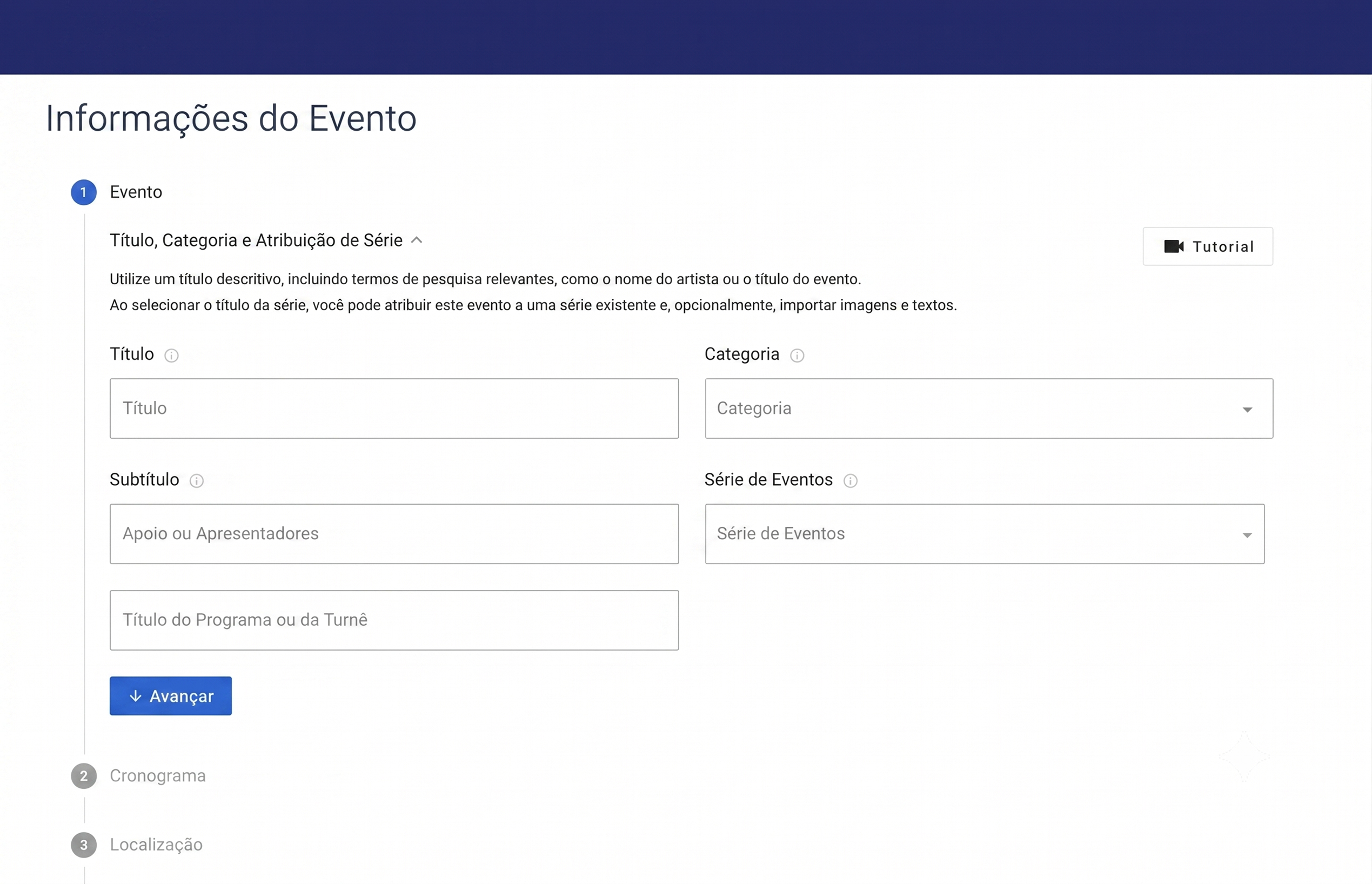
- First, give your event a catchy title that appeals to potential ticket buyers and piques their curiosity.
- Select the appropriate category for your event and specify whether it is a one-time event or part of a series.
- Add a schedule: Set the date and time of your event. Optionally, you can specify the admission and sales periods. If your event spans the entire weekend, you can simply set it up as a multi-day event.
- Now select the venue and, if desired, create a seating chart.
Ticket prices and price categories
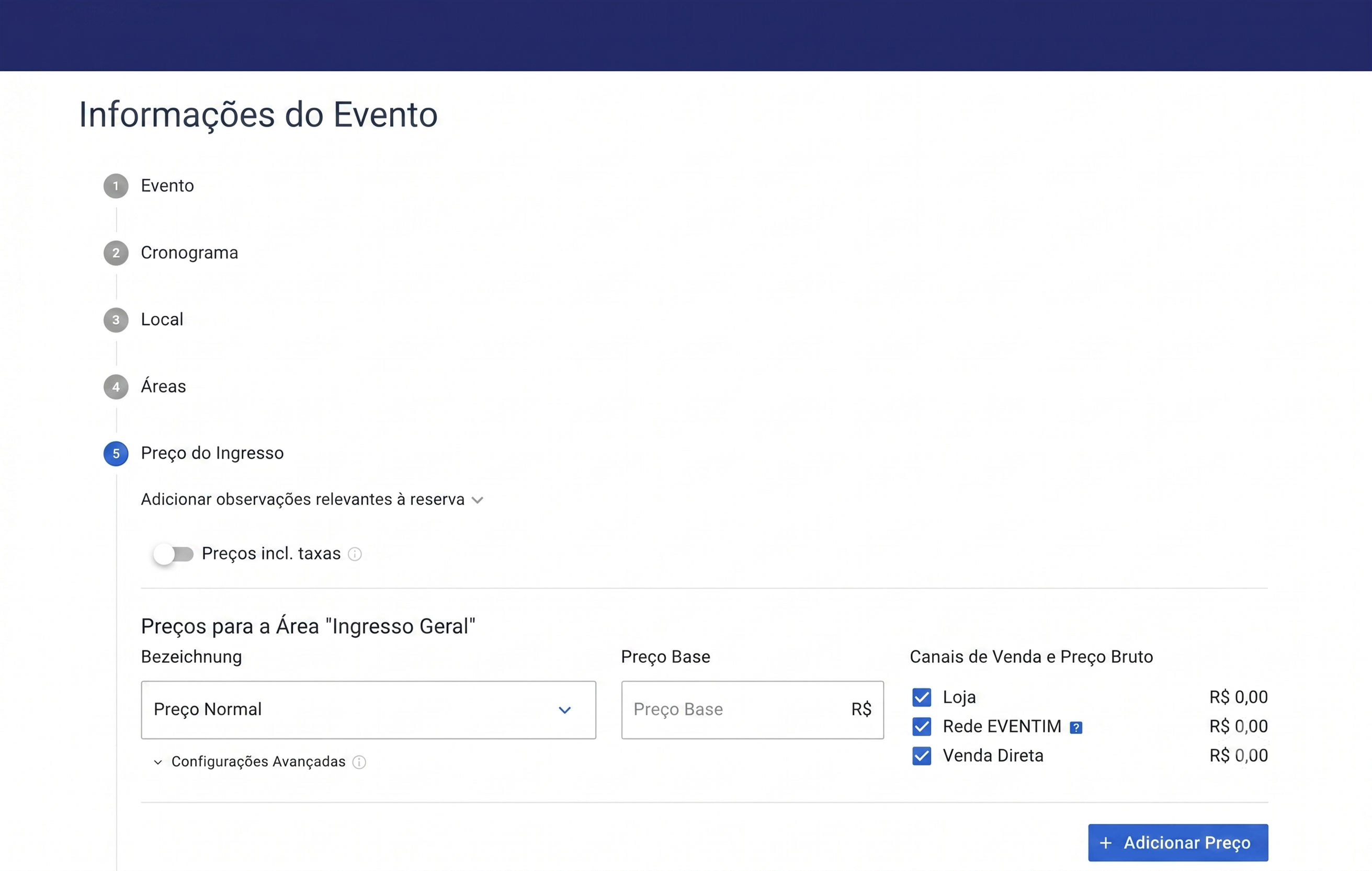
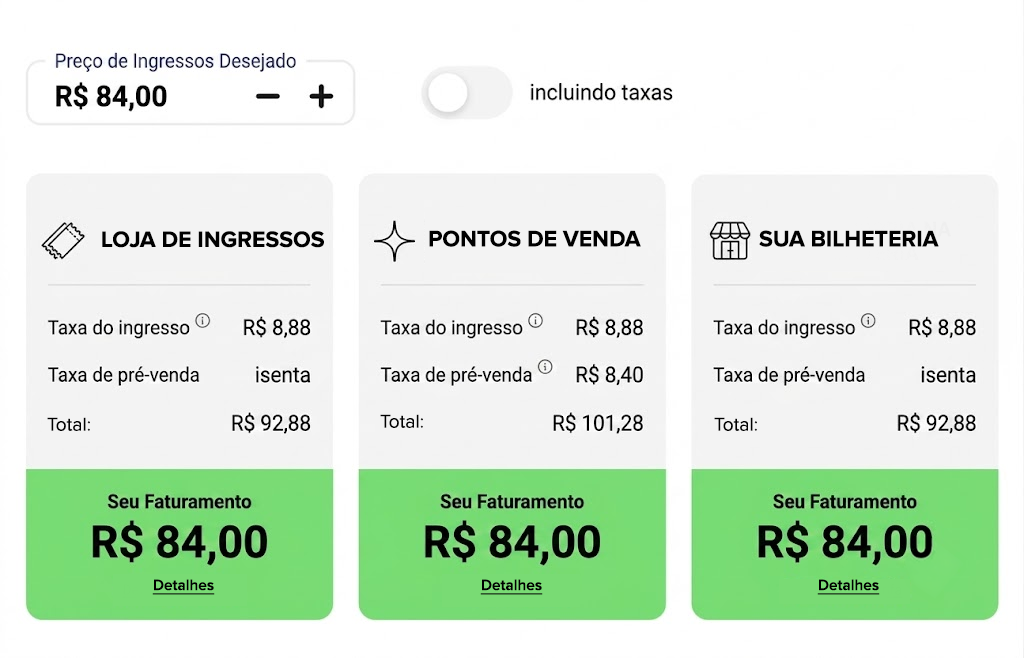
- Define your own price categories, such as standing room, seating, or VIP, and assign different ticket prices to each category, such as regular price, early bird, or student rates.
- Here, you can also activate the sales channels where you want to make the ticket price options available. Use your online ticket shop as well as the box office module for ticket sales at the box office.
- Tap into additional sales channels: By activating the EVENTIM network, you can also sell tickets via eventim.de and at 10,000 ticket outlets throughout Germany.
- Optionally, you can add a promotion to a ticket price to offer this price only upon entry of a discount code.
Media and Event Description
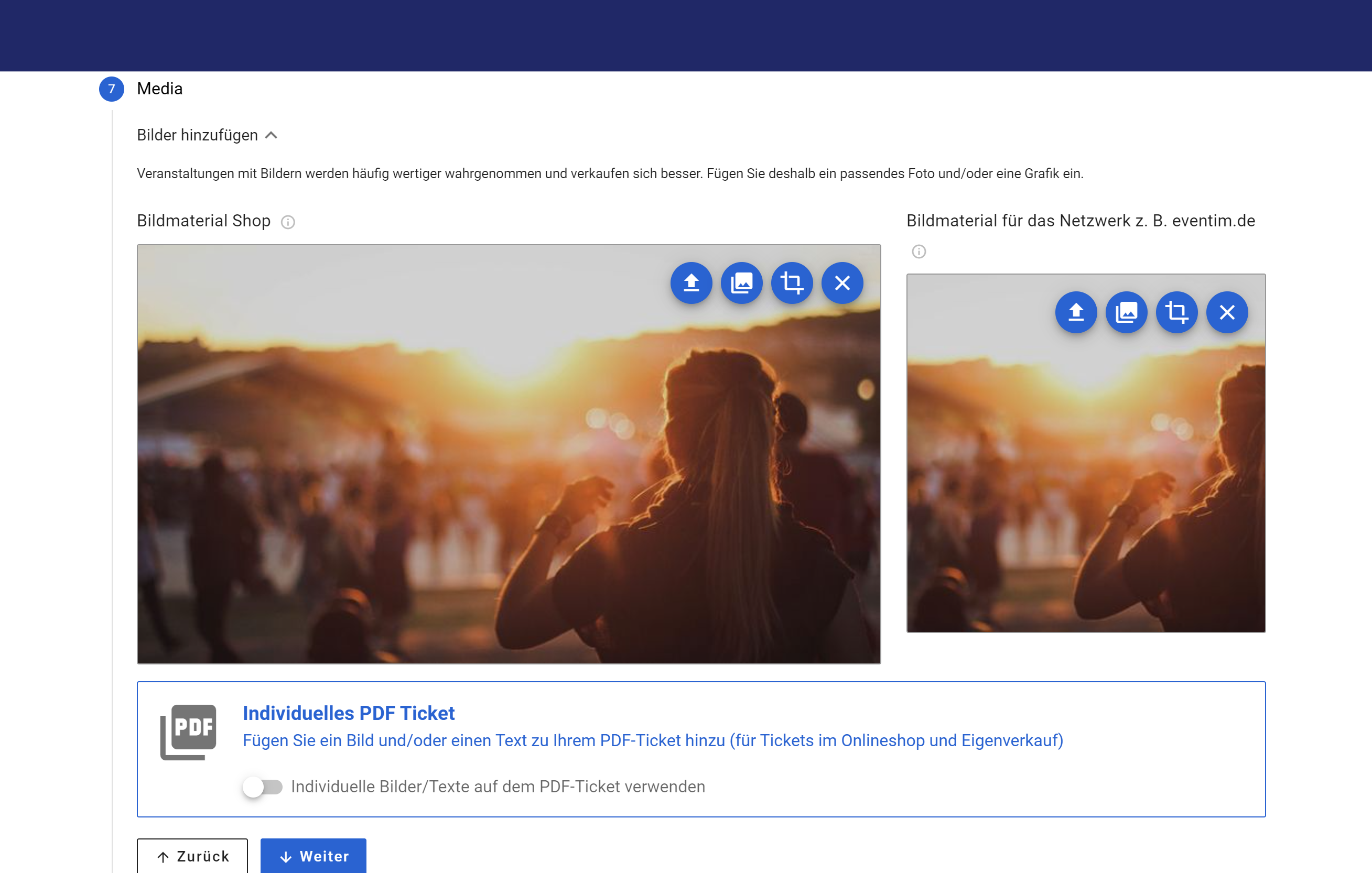
- Upload an eye-catching image to grab people's attention. This will help your events sell better.
- Optionally, you can customize the layout of your PDF ticket with your own images and a personal message.
- In your event description, highlight the key details about the artists or the program. The event description should make people excited about your event and encourage them to buy tickets.
Post your event
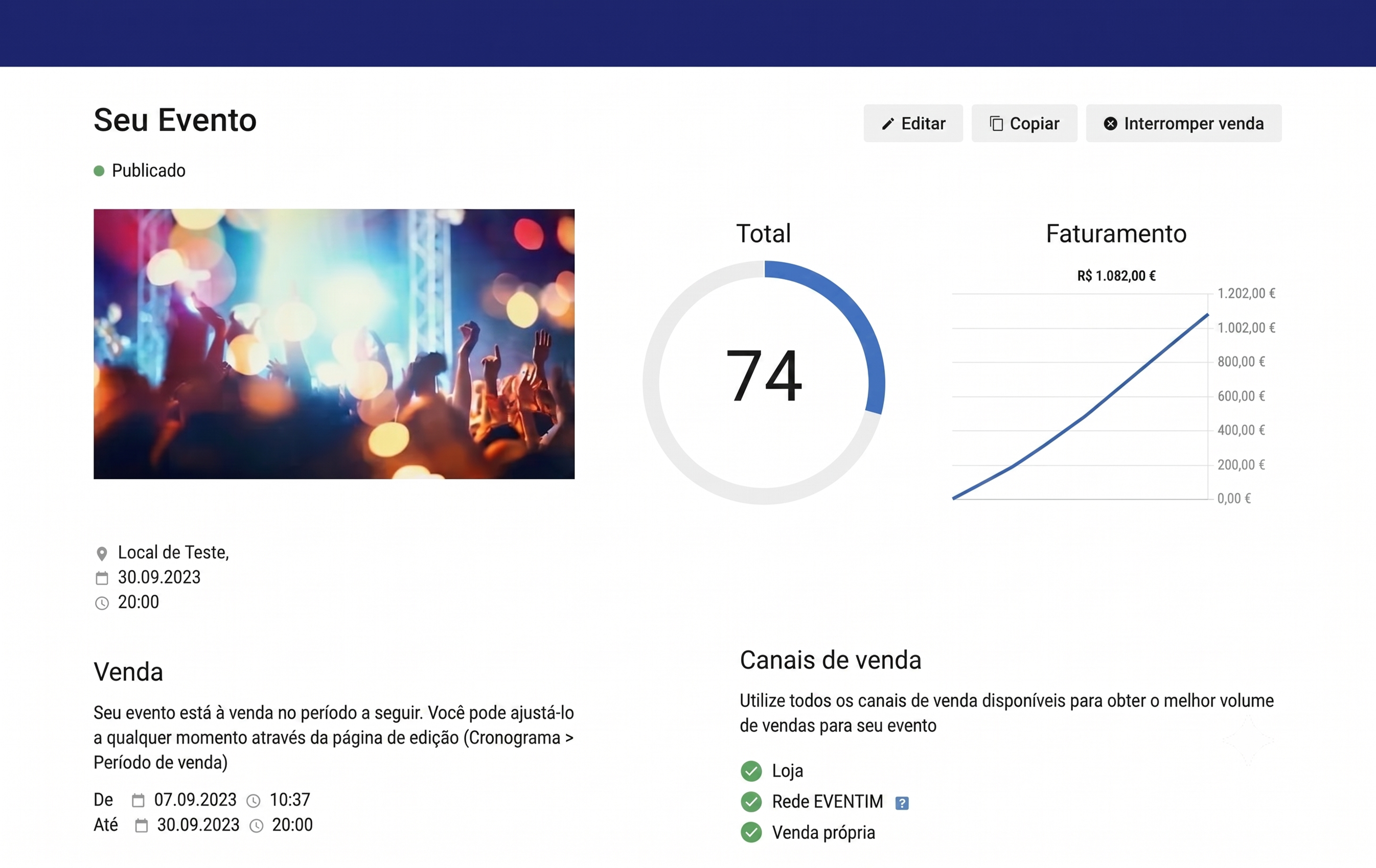
- Your event has been created. Now preview your ticket shop and customize the design to suit your needs.
- Once published, your event will be visible directly in your ticket shop and tickets can be purchased.
- Alternatively, you can publish the event at a later date or set the publication date right now.
Tip: Easily create a Facebook event by connecting your EVENTIM.Light account to Facebook. Simply promote your event for even greater reach.

Event series and time slots
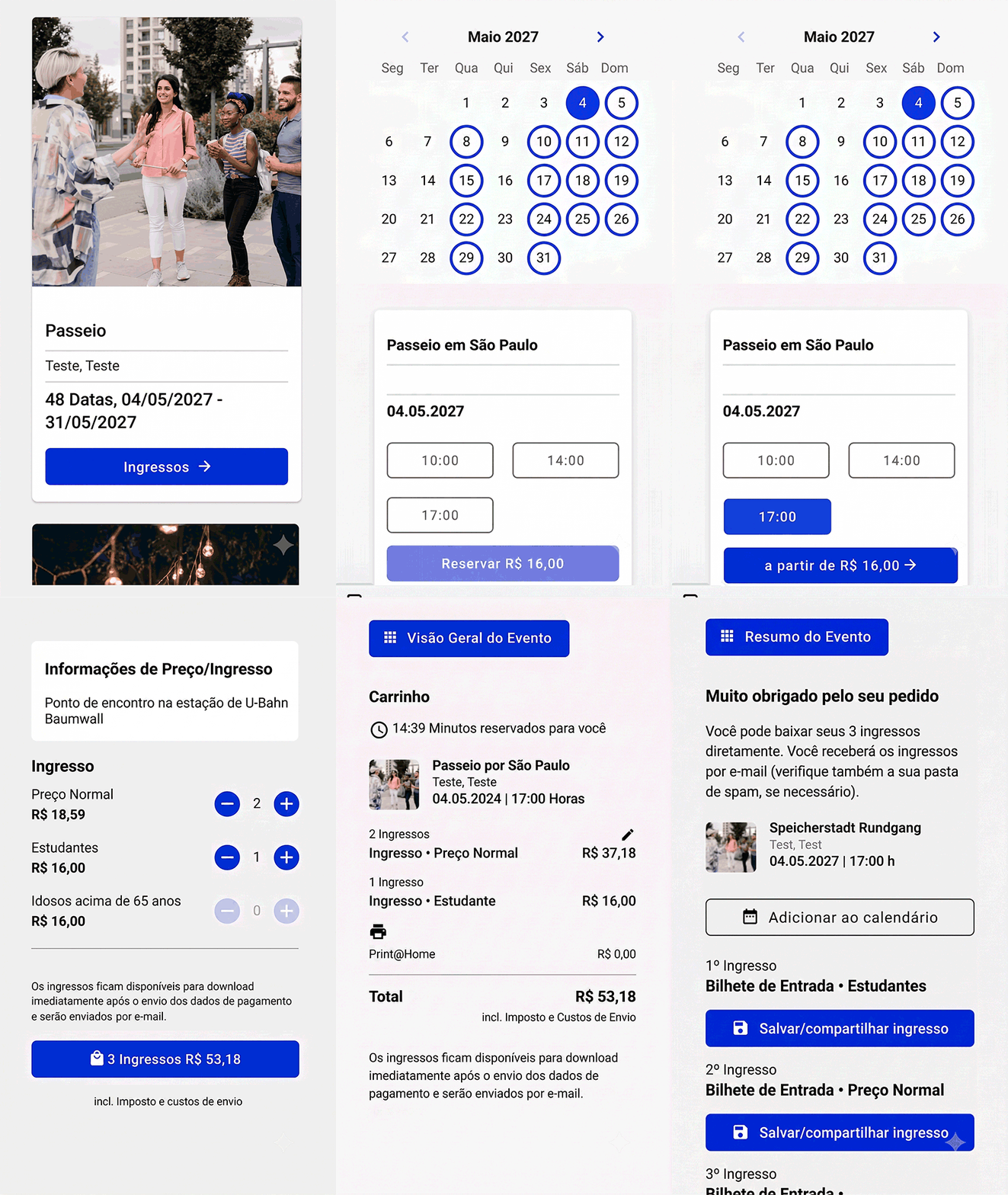
Do you have an event that takes place on a regular basis? Then simply create an event series. If all events are held at the same location, you can easily create multiple time slots and provide your ticket buyers with a handy calendar overview for quick and easy ticket booking.
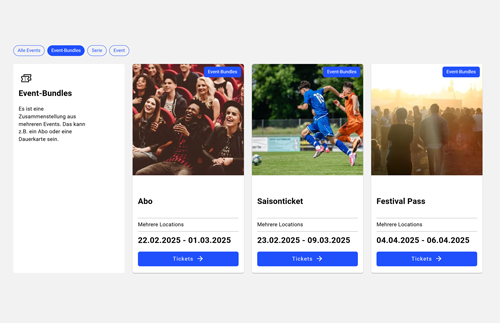
Build customer loyalty with subscriptions, season tickets, or festival passes
With the Event Bundle, you can easily sell multiple individual events as a package. Add up to 30 individual events or dates to your Event Bundle and sell it as a subscription, season ticket, or festival pass. The Event Bundle uses the same ticket allocations as the individual events. You decide whether your bundle includes a fixed set of events or whether buyers can choose their own dates.